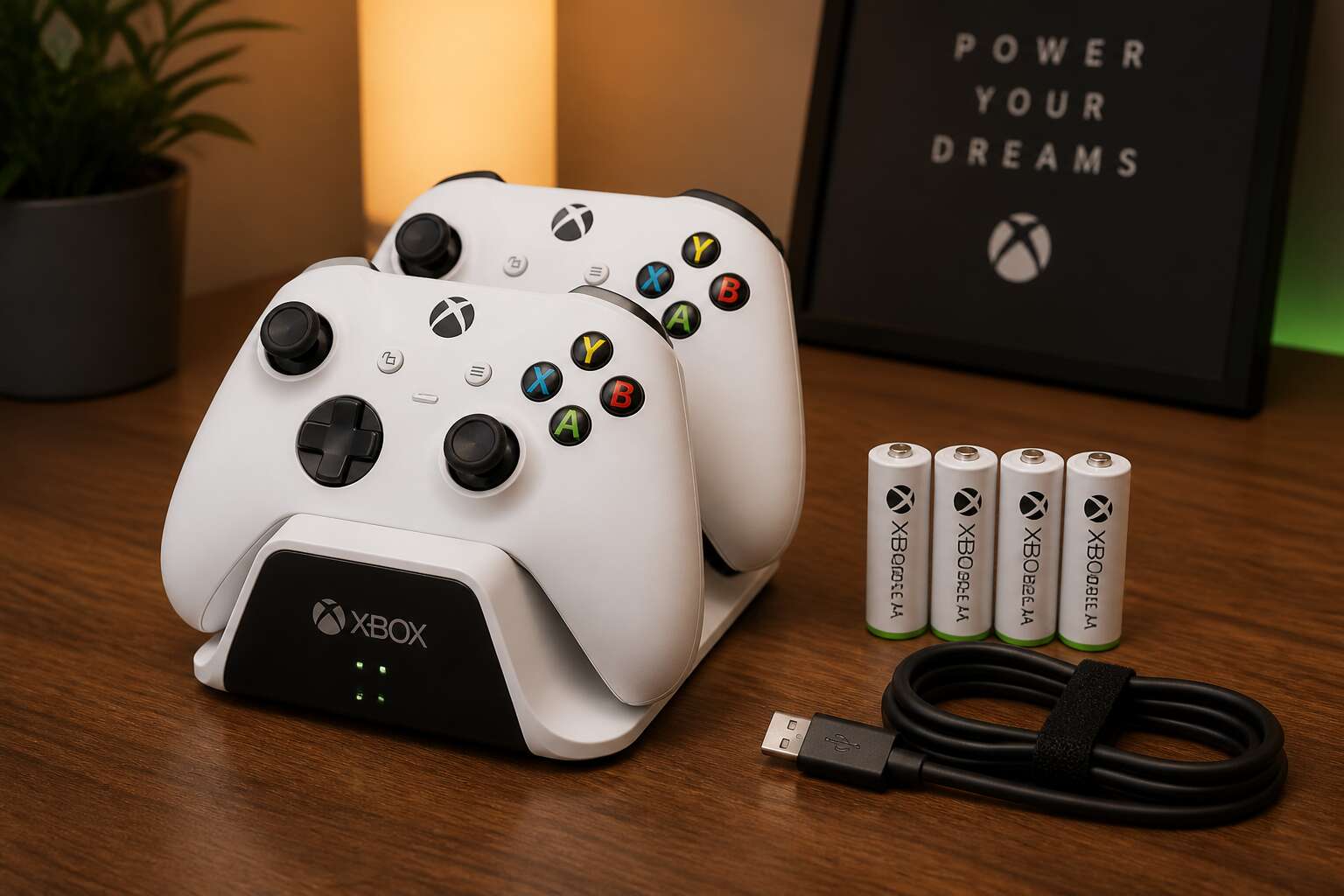
Understanding Rechargeable Battery Options
Types of Rechargeable Batteries for Xbox Controllers
Every Xbox controller demands power, yet the way you feed it shapes the entire ritual. The rechargeable batteries in xbox controller fall into two main chemistries, each with distinct behaviour. Nickel metal hydride (NiMH) cells, commonly sold as AA rechargeables, provide steady voltage across hundreds of charge cycles. Lithium ion packs pack more energy per gram and keep their charge longer while idle.
This is how the options line up:
- NiMH AA cells paired with a wall charger
- Official Xbox lithium ion battery packs
- Third party lithium ion kits with USB-C cabling
Each route changes the controller’s weight, runtime, and charging rhythm. NiMH cells suit players who swap fresh sets between sessions. Lithium ion packs appeal to those who simply plug in. For South African gamers, the choice also shapes load shedding preparedness, since a fully charged controller survives an evening without grid power.
Battery Capacity and Voltage Considerations
Load shedding does not respect a gaming session. A controller that dies at the seventh hour of an outage is a failed piece of equipment. The capacity of your rechargeable batteries in xbox controller determines how long you stay in the game, not just how many hours you log.
Capacity is measured in milliampere hours, or mAh. Higher numbers mean more stored energy. A 1900 mAh NiMH cell will outlast a 1300 mAh cell by a significant margin, though the latter weighs less. Voltage tells a different story. NiMH cells output 1.2 volts per cell compared to the 1.5 volts of a standard alkaline. Many players never notice the difference because the controller’s internal regulator compensates. But under heavy vibration and rumble feedback, the voltage drop matters.
Some character traits of each chemistry:
1. NiMH cells deliver steady voltage until they are nearly empty, then cut out abruptly.
2. Lithium ion packs hold 3.7 volts and maintain that level for months while idle.
For South African conditions, this means a lithium pack survives a weekend of no charging. A NiMH set left in a drawer loses charge slower than you might expect, but it still drains. The weight also shifts the balance of the pad. Heavier cells make the controller feel more solid. Lighter cells reduce fatigue during long sessions. Neither choice is wrong, but the controller’s runtime and your charging discipline depend on these numbers.
Pre-Charged vs Standard Rechargeable Batteries
Few social moments rival the quiet judgement of a friend who discovers your rechargeable batteries in xbox controller are empty. Pre-charged cells spare you this embarrassment. They arrive from the factory ready to work, which makes them the obvious choice for anyone whose charging discipline is aspirational at best.
Standard rechargeable batteries assume you have a routine. You charge them, you use them, you rotate them. That works beautifully for the organised sort. For everyone else, a standard cell is a lump of metal and plastic until you remember to plug it in. I speak from experience!
- Pre-charged cells suit emergency spares kept for load shedding nights.
- Standard cells suit players with a fixed charging day.
- Choosing both creates a system that only you will understand.
Rechargeable Battery Packs vs Standard AA Batteries
The rear compartment accepts the official battery pack with a click that feels deliberate. The Play and Charge kit is a lithium-ion slab matched to that cavity. Standard AA cells, even the best rechargeable batteries in xbox controller applications, rely on a removable tray and a door that can vanish.
I have played sessions on both. A pack keeps the controller’s weight balanced and charges via USB-C while you play. Two AA cells cost less upfront and swap in seconds when the icon blinks red.
- Battery packs: sealed unit, no tray, built-in charging port.
- Standard AA batteries: universal, but require a separate charger and a spare pair.
The pack’s convenience comes with a drawback. When the internal cells degrade, the whole cartridge is waste. AA batteries live on in remotes and lanterns afterward. If you swap rechargeable batteries in xbox controller rotations, the pack becomes a single point of failure.
Benefits of Using Rechargeable Batteries
Cost Savings Over Time
Every gamer knows the sting of a controller dying mid-match. In South Africa, where load shedding often dictates our play sessions, that moment is even more frustrating. The real cost, however, hides in the recurring trips to the store for new disposable cells. A pack of four name-brand AAs can set you back a significant chunk of change, and heavy players burn through them in a fortnight. That expense compounds silently, month after month, becoming a stubborn line item in your entertainment budget.
The initial outlay for a solid charging solution is the only hurdle. Once you cross it, the financial landscape shifts dramatically. The cost per charge for quality rechargeable batteries in xbox controller setups drops to a negligible figure. You are essentially paying for the electricity, which is a fraction of a rand. Consider what that means for your yearly spend on power:
– One set of standard alkaline batteries lasts roughly 15 to 20 hours of play.
– A premium rechargeable cell can deliver the same runtime for thousands of cycles, often exceeding five years of service.
– The average South African gamer using disposables spends hundreds of rands annually on replacements.
By switching, you are not just saving a few coins here and there. You are freeing up budget for new games or a better headset. The math is simple, the investment is sound, and your wallet will finally get a break from the constant drip of disposable purchases.
Environmental Impact Reduction
Every disposable AA that dies in your controller ends up in a landfill. South Africa’s waste management infrastructure is already strained, and each alkaline cell takes centuries to decompose. The toxins leach into soil and groundwater, a quiet contamination that outlasts the console generation that produced it.
Switching to rechargeable batteries in xbox controller setups eliminates this cycle entirely. One set replaces dozens of disposable packs over its lifespan. That means fewer manufacturing chains, fewer transport emissions, and critically, fewer toxic cells entering the waste stream.
- A single rechargeable cell can replace hundreds of alkaline batteries
- Reduced mining demand for manganese and zinc
- Lower carbon emissions per hour of gameplay
When you finally retire a rechargeable battery, manufacturers offer recycling programmes, unlike the informal disposal routes most disposables take. The choice to adopt rechargeable batteries in xbox controller use is silent but substantial.
Consistent Performance and Longevity
A controller that stutters mid-clutch or dims during a boss fight is a silent killer of momentum. Disposable batteries sag under load, delivering a dwindling voltage that forces your analog sticks to feel sluggish. Rechargeable batteries in xbox controller setups hold a steady voltage curve until the very end of their charge. This means your rumble motors hit full force and your wireless signal stays crisp, not because the battery is powerful, but because it refuses to degrade under pressure.
Longevity is not just about the number of charge cycles. It is about the structural integrity of the cell over years of use. A quality lithium ion cell maintains its internal chemistry far better than a zinc core that oxidizes and leaks. I have seen controllers corroded by alkaline seepage, terminals eaten away by acid. That is a failure mode you simply do not encounter with modern rechargeable cells. They are sealed, stable, and engineered to outlast the console they power.
The performance benefits compound over time:
– No memory effect, so you can top up at any percentage without degrading the cell
– Consistent discharge rates that keep the controller’s input latency low
– Higher energy density per gram, which means less weight in your hands during long sessions
After a year of use, a rechargeable cell still delivers roughly 80% of its original capacity. A disposable alkaline is already a corpse by then. This is the quiet superiority of the rechargeable path. You are not just saving money or the environment. You are ensuring that the tool in your hands performs identically on day 300 as it did on day one. That is a level of reliability that disposables, with their erratic drop offs, cannot touch.
Convenience of Recharging
Picture this: it is 2 a.m., the final boss is at 1% health, and your controller dies. The scramble for fresh AA batteries becomes a frantic, fumbling search through drawers. This is the nightly ritual for countless players, and it is entirely avoidable. The convenience of a dedicated charging setup fundamentally changes the relationship you have with your hardware. Instead of treating power as a consumable expense, you treat it as a permanent feature of your gaming station.
The Plug and Play Kit from Xbox transforms a moment of interruption into a seamless transition. When a low battery warning appears, you simply connect a USB-C cable to the controller. The rechargeable batteries in xbox controller systems are being topped up while you continue to play. It is a simple, continuous loop of energy that removes the friction of dead weight and depleted cells from your routine.
1. You never have to remove the battery cover again.
2. You eliminate the risk of dropping a controller while swapping cells mid-match.
3. You keep the controller tethered for a quick charge, then unplug and resume wireless freedom.
This setup means the game state remains uninterrupted. The physical act of stopping to change batteries, which breaks your focus and your posture, becomes a memory. The reduction in physical waste is also felt in the home, as the drawer of half-used disposable cells slowly disappears. The entire experience becomes an unbroken current of play, where the only thing you think about is the game in front of you. That is the true convenience of a system designed to be recharged, not replaced.
Enhanced Gaming Sessions with Backup Batteries
Players who keep multiple controllers rarely keep a charged backup set for each one. That gap shows up mid-match. A spare controller is only useful if it has power, and power depends on your battery routine.
Backup rechargeable batteries in xbox controller setups give you a reserve that is always ready. When the indicator light turns red, you swap in the charged pair. The depleted pair goes onto the charger right away. You do not lose a single minute of play. In South Africa, load shedding already interrupts gaming without notice. Your battery system should not add to that list.
- A spare charged pair is always within reach
- Swapping takes about ten seconds
- No controller stays dead for long
This reserve system keeps sessions running, even during extended play.
How to Choose the Right Rechargeable Batteries
Comparing Battery Capacity (mAh)
When you hold two battery packs side by side, the difference between 1300mAh and 2500mAh feels abstract until your controller dies mid-match. That capacity figure tells you how long the cells can sustain a steady current draw. The Xbox controller’s vibration motors and wireless signal draw roughly 30mA when idle, but spike to 200mA or more during intense gameplay. A higher mAh rating directly translates to more evening sessions without swapping cells.
To compare rechargeable batteries in xbox controller setups effectively, look past the marketing numbers. Some batteries deliver their rated capacity only at low drain rates. I always check the discharge curve before committing to a brand.
Consider these factors when comparing:
– Rated capacity versus real-world drain
– Self-discharge rate between charges
– The number of charge cycles before capacity drops
A South African gamer facing load shedding knows that a 2500mAh pair can outlast a full Eskom stage, while a 1300mAh pair might leave you stranded mid-boss fight. Choose based on your actual session length.
Brand and Quality Factors
Brand reputation matters more than the sticker on the packaging. A quality cell from a trusted manufacturer includes protection circuits that guard against overcharging and overheating, features absent in cheap knockoffs. I have seen generic batteries swell inside controllers after three months of daily use. That is not a risk worth taking with your hardware.
- Check for certification marks from recognised testing bodies.
- Read independent reviews that measure real discharge performance.
- Confirm the warranty terms before you buy.
When evaluating brands, look for packaging that lists specific testing standards. Some manufacturers publish their discharge curves and cycle life data. Others stay vague. The makers that offer extended warranties tend to produce better cells. Their rechargeable batteries in xbox controller use need to survive heavy gameplay sessions, so quality control is a priority from the start.
Charger Compatibility and Features
A charger is the silent partner in every gameplay session. The right one extends the life of your rechargeable batteries in xbox controller setups, while a mismatched unit degrades cells prematurely. Compatibility starts with chemistry. Standard NiMH cells require a different charging algorithm than Li-ion packs. Using the wrong bay can trigger heat buildup, which shortens cycle counts dramatically.
Some chargers offer per-slot monitoring, so each cell receives independent treatment. Others charge in pairs, forcing a weaker battery to endure overcharging. That imbalance becomes a psychological weight, a nagging awareness that your controller might die mid-raid. For those who rotate two sets, a smart charger with a refresh function identifies worn cells before they fail.
The features that matter most:
- Individual channel status LEDs or LCD readouts for charge level.
- Automatic trickle charging after full capacity is reached.
- Compatibility across multiple battery sizes, not just AA.
Matching the charger to the cell’s rated current matters more than brand loyalty. A 2000mAh battery charged at 500mA takes longer but causes less stress. A 1000mA fast charge suits lower capacity cells. Reading the spec sheet is an act of respect for the hardware. Without that attention, you gamble with performance, sacrificing the quiet confidence of knowing your controller is ready when you are.
Battery Lifespan and Cycle Count
Most AA NiMH cells promise 500 charge cycles, yet I have seen gamers retire them after 200. The gap comes from how you discharge. Full drains to zero stress the chemistry. Recharging at 40 percent remaining capacity extends the cycle count significantly.
Heat accelerates the decay. A hot room, a warm console, it all reduces capacity. Store spares at room temperature and cycle them monthly to keep the cells balanced.
- Cycle count equals one full discharge and recharge.
- Partial recharges count as a fraction of a cycle.
- A refresh charge every three months restores cell balance.
For rechargeable batteries in xbox controller use, two quality NiMH pairs should outlast your console if you respect these numbers.
Price vs Performance Analysis
Walk into any South African electronics store and the price gap between budget NiMH cells and premium alternatives is obvious, often R150 or more per pair! That gap is not cosmetic. Budget cells often reveal their shortcomings in the discharge curve, losing voltage under load when the controller’s rumble motors kick in.
What separates the tiers:
- Internal resistance, measured in milliohms, determines voltage stability.
- Manufacturing tolerance affects whether both cells age evenly.
- The separator material dictates how well the cell endures heat.
For rechargeable batteries in xbox controller use, I have watched cheap pairs degrade within months while premium cells persisted for years. The extra cost buys predictability. Predictability matters when you are mid-match.
User Reviews and Recommendations
South African gaming forums reveal a telling split: user reviews on rechargeable batteries in xbox controller use often contradict manufacturer claims. A cell with glowing specs can still fail in real hands. The common thread in negative reviews is voltage drop during rumble, not total capacity loss. That detail separates perceptive buyers from casual ones.
- Look for reviews mentioning sustained performance after 50 charge cycles.
- Pay attention to complaints about charger heat, not just battery life.
- Cross-check dimensions, because some cells expand slightly and jam the battery bay.
Experienced players recommend reading the one star reviews first. Those often describe specific failure points like premature discharge or uneven aging between paired cells. Positive reviews that mention months of consistent use carry more weight than initial impressions. Trust the patterns that repeat across multiple user accounts.
Best Practices for Charging and Maintenance
Proper Charging Techniques for Optimal Battery Life
Charging your rechargeable batteries in xbox controller seems simple until you realise your habits are quietly shortening their lifespan. Modern chargers handle the technical work, but your routine still matters. Heat degrades these cells. Leaving a pack on the charger overnight in a warm room slowly damages the chemistry. Draining to absolute zero before recharging is equally unnecessary. That advice belonged to older nickel cadmium batteries. Today’s lithium based cells prefer regular top ups.
Watch for these signs that your rechargeable batteries in xbox controller are nearing retirement:
– They lose charge within a few hours of play
– The controller disconnects randomly at full charge
– Charging takes twice as long as it used to
Many players rotate between two sets to spread the cycle load evenly. This keeps one set ready while the other charges, which is a practical approach for long gaming sessions.
Avoiding Overcharging and the Memory Effect
Overcharging remains a quiet killer. Modern chargers claim to detect full cells, but trickle currents still heat the pack. Heat accelerates electrolyte breakdown, and the memory effect, while less common in lithium chemistry, still manifests as voltage depression. Treat the charger as a ritual, not a sleep aid. Unplug when the indicator shifts.
Occasionally, the controller’s internal circuits fight the battery’s natural discharge curve. For rechargeable batteries in xbox controller, pause the charge at 80 percent for a short break before topping up. This balances cell pressure. Not every charge needs to be perfect. Let the pack cool before resuming.
The real danger is habit. Forgetting a pack on the base for three days dulls its edge far faster than any rapid drain. You wouldn’t leave a fire smouldering overnight; why leave the current flowing?
Storage Tips for Long-Term Battery Health
South Africa’s summer heat demands a different rhythm for rechargeable batteries in xbox controller. Raised temperatures accelerate self discharge and corrode the terminal points. After long sessions, wipe the contacts with a dry cloth before placing the cells aside. A thin layer of grime forces the controller to draw extra current, which eats into battery life faster than any game ever will.
When you set the pad down for more than a few days, remove the rechargeable batteries in xbox controller entirely. The standby circuit drains cells unevenly. Store them around 40 percent charge for the longest shelf life.
Follow these storage rules:
- Keep cells in a cool, dry drawer, away from sunlight.
- Check the voltage every three months and top up if needed.
- Mark the purchase date on each pack to track age.
Rotating two sets gives the chemicals time to rest between shifts.
When to Replace Rechargeable Batteries
Most rechargeable batteries in xbox controller setups lose a fifth of their capacity within two years, even with careful habits. Charging when the cells are still warm from a long session accelerates that decline. Let the pack rest for fifteen minutes after you finish playing, then charge at room temperature. The same applies to maintenance. Wipe the contacts monthly with isopropyl alcohol, and inspect for swelling or leaks. These signs appear before a cell fails completely.
Replace your rechargeable batteries in xbox controller when they deliver less than half their original runtime. A set that used to last eight hours but now dies after three is telling me something. Also replace if the charger takes noticeably longer to reach full, or if the cells feel hot during a normal charge.
Common replacement triggers:
- Runtime drops below 50 percent of the rated capacity.
- Visible swelling, cracks, or corrosion around the terminals.
- The charger reports a full state within twenty minutes.
Troubleshooting Common Battery Issues
Charging rechargeable batteries in xbox controller setups often comes down to patience and consistency. Always use the charger that matches your battery chemistry. Mixing mismatched units can cause uneven voltage readings, which leads to premature shutdowns and shorter cycle counts.
When a cell suddenly drains faster than usual, check the battery contacts first. A thin layer of oxide or dust can interrupt current flow. Wipe the terminals with a dry cloth. If the problem persists, the battery management circuit inside the pack may be faulty. That type of failure rarely shows up in voltage tests. You can spot it when the controller powers off at 70 percent capacity despite the charger reporting a full state. Also pay attention to odd behaviour during charging. A pack that gets warm on one side only, or takes twice as long as normal, is often struggling with an internal short. The safest move is to retire that cell and avoid using it as a backup.
Frequently Asked Questions
Can I Use Rechargeable Batteries in Any Xbox Controller?
Short answer: yes, but with caveats. Standard AA bay controllers accept any AA-sized rechargeable batteries in xbox controller. The Xbox Elite Series 2 and newer Core models use internal lithium packs, so they do not offer the same flexibility.
Consider the controller generation. Original Xbox One pads, Series X|S pads, and third-party models with AA compartments all work. If your device has a battery door, it is compatible. Internal battery models require proprietary replacements, which narrows your options.
- AA bay controllers: universal compatibility
- Elite Series 2: built-in pack only
- Third-party pads: check the manual
Some users report voltage quirks with certain rechargeable cells. Stick to reputable brands to avoid performance dips.
How Long Do Rechargeable Batteries Last Per Charge?
How Long Do Rechargeable Batteries Last Per Charge?
The answer depends on the cell capacity and the controller’s power draw. A standard 2000 mAh AA rechargeable battery typically delivers 15 to 20 hours of gameplay in an Xbox controller. Higher capacity cells, like 2500 mAh, push toward 25 hours.
Your gaming habits matter. Vibration intensity, headset volume, and the controller’s internal circuitry all consume charge. I have noticed that heavy rumble drains my own controllers noticeably faster.
This is where rechargeable batteries in xbox controller setups prove their value. Rotating charged pairs prevents interruptions, which matters during long multiplayer sessions.
- A 2000 mAh pair lasts roughly 15 to 20 hours.
- A 2500 mAh pair lasts closer to 25 hours.
- Heavy vibration cuts playtime by up to 30 percent.
Realistically, you will recharge every two to four days with regular play. That rhythm feels manageable once you own two pairs.
Are Rechargeable Battery Packs Better Than AA Rechargeables?
A battery pack snaps into the controller’s rear bay and charges through the console’s USB port. That convenience is real. The pack sits flush, adding no bulk, and you never handle loose cells. But AA rechargeables bring something packs cannot match: portability across devices. Your camera, your wireless mouse, and your kid’s toys all run on the same AAs.
For rechargeable batteries in xbox controller ownership, the difference surfaces mid-session. A drained pack forces you to run a cable or wait. During loadshedding, when wall power is already scarce, that pause cuts deeper. AAs let you grab two fresh cells from a drawer and continue instantly. The trade-off is a separate charger and more fiddly handling.
Most players do not need a strict winner. They need a working system. Both options extend your gameplay, and both beat buying disposable cells every month.
Do Rechargeable Batteries Affect Controller Performance?
No, rechargeable batteries in xbox controller do not affect performance. The controller’s voltage regulation keeps input latency and stick response identical. I have compared fresh AAs and a well used pack side by side. The game feels exactly the same until the cell dips below the shutdown threshold.
What matters is cell health. A weak battery might trigger the low battery warning earlier. That warning is information, not a performance penalty. The controller powers off cleanly rather than stuttering!
- Stable discharge curves matter more than peak voltage.
- Old and new cells mixed together cause early dropout.
- Corroded contacts create intermittent power loss.
These factors affect how long your rechargeable batteries in xbox controller last, not how they play. Stick drift and button chatter come from physical wear in the controller itself.
How Do I Know When to Recharge the Batteries?
The battery icon on your Xbox controller is the obvious starting point. Low battery warnings appear when rechargeable batteries in xbox controller reach a critical voltage. Yet indicator accuracy varies with cell condition.
Other signals matter as well. Input lag is not one of them. Instead, watch for the controller failing to power on, or the home button blinking without response. Those signs mean the pack is too depleted to operate.
Signs that your cells are running dry include:
- The low battery warning appears within thirty minutes of a full charge.
- The controller shuts off during intense rumble feedback.
- The charge light fails to show on the play and charge kit.
Another useful method is tracking session length. If you normally get eight hours per charge with rechargeable batteries in xbox controller and now you get five, the run time is shrinking. That shift is your clearest cue.



0 Comments